


Make an “I Love the Smiths” AI Video
Recreate the elevator scene with one or two photos, or use the default cast.
Watch generated examples
Compare the reference photos with the finished landscape and portrait videos. Read the elevator scene guide
Example inputs
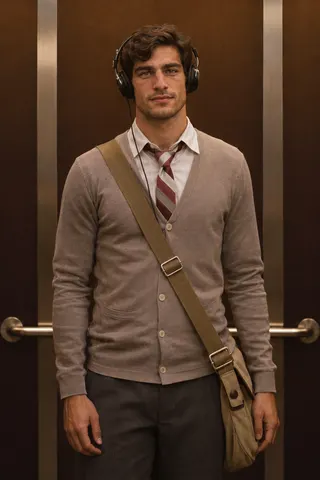
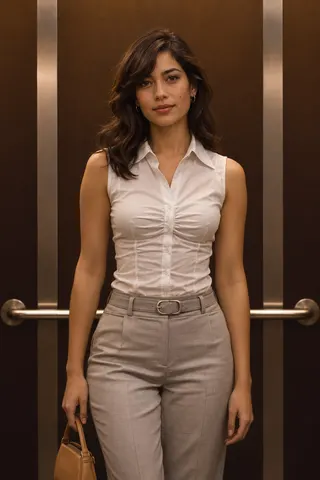
Generated video · Landscape
Example inputs

Generated video · Portrait
How it works
How to make your elevator video
Add the listener
Add a clear portrait for the person wearing headphones. Leave the slot empty to use the default listener.
Add the speaker
Add a portrait for the person who turns around and says the line, or keep the default speaker. Use Swap roles if the photos are in the wrong slots.
Generate and download
Sign in, confirm you have permission to use any photos you uploaded, and check the credit cost before you generate. Download the MP4 from the preview or your task records when it’s ready.
What you get
What your AI video looks like
The elevator scene is already scripted. Choose who plays each role and make a portrait or landscape clip with sound.
The scene is written for you
Warm elevator light, the headphones, the turn, the line and the reply. All you choose is who plays each part.
Faces from your photos
Both photos are sent as identity references, so the clip follows each person’s face, hair and skin tone as closely as the video model allows.
Portrait or landscape
Choose 9:16 portrait or 16:9 landscape. Both formats are 720p MP4 with generated sound.
Private by default
Your finished videos are available in your signed-in task history. The site does not post them publicly.
Pricing
Credits for your scenes
Buy credits once and spend them on videos. Prices are shown in USD.
Credit packs
Single
USD 9.90
- 150 credits
- Up to 1 video
- Credits expire 365 days after they arrive
- One-time purchase
Creator
RecommendedUSD 39.00
USD 49.50Save 21%- 750 credits
- Up to 5 videos
- Credits expire 365 days after they arrive
- One-time purchase
Studio
Best valueUSD 69.00
USD 99.00Save 30%- 1500 credits
- Up to 10 videos
- Credits expire 365 days after they arrive
- One-time purchase
Video counts are based on 15-second 720p videos with Seedance 2.0. Savings are based on the Single pack rate.
Credit packs do not renew automatically. Refund policy
FAQ
Photos, credits and downloads
Can I make the video with one photo?
Yes. Add your photo to either role and the generator uses the default portrait for the other role. Add two photos to cast both roles, or leave both slots empty to use the default cast.
What is the “I love The Smiths” trend?
The “I Love the Smiths” trend recreates the elevator scene from the 2009 film (500) Days of Summer. One person hears The Smiths playing through the other person’s headphones and says they love the band.
Does the video use footage or music from the film?
The AI generates new visuals and sound from the chosen portraits and a written scene. This independent tool uses no footage or soundtrack from the film.
Which photos work best?
Use a clear, well-lit photo with one face. Check the form for accepted formats and size limits. Your original file is uploaded unchanged.
Can I use photos of pets?
This version of the generator only supports photos of people.
Where do I find my video after I generate it?
You can leave the page while your video is being made. Check your task records for its status and download the MP4 there when it’s ready.
How much does a video cost?
Video generation requires an account and credits. The exact cost appears next to the submit button. Portrait and landscape cost the same. If your video fails to generate, the reserved credits are returned.
Can I use photos of other people?
Only with their permission. Do not upload photos of public figures, minors, or anyone who has not agreed to appear in the video.
Your elevator is waiting
Create an account to make your first scene with your own photos or the default cast.